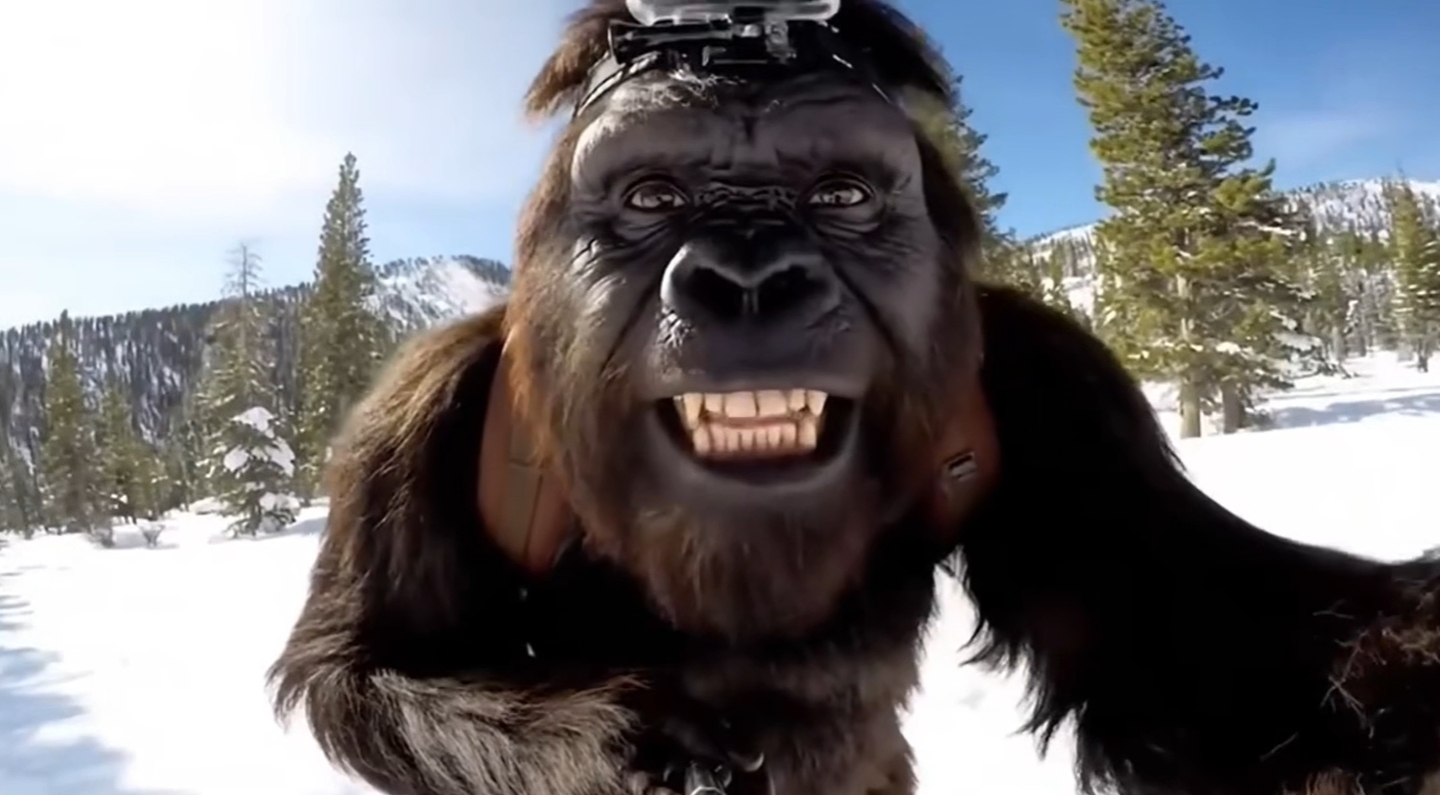
The mystery of Bigfoot has captured imaginations for decades — the towering figure in misty forests, half-seen and always just out of reach. Now, thanks to advances in AI video generation, learning how to make AI Bigfoot videos is easier and more cinematic than ever. With tools powered by Veo 3, you can bring the legend to life without a camera crew, expensive gear, or complex software.
👉 Try it yourself here: https://www.bigfootveo.com/
What Are AI Bigfoot Videos?
AI Bigfoot videos are digital cinematic clips created using artificial intelligence models like Veo 3. These models interpret text or image prompts and transform them into moving scenes — complete with lighting, depth, and atmospheric effects.
Imagine describing a mist-covered mountain path where a shadowy creature emerges between the trees. Within moments, the AI can generate a short cinematic clip of this vision, complete with realistic motion, camera panning, and environmental details.
Unlike traditional filmmaking, where you’d need costumes, props, and editing, AI video generation lets you focus on storytelling and imagination.
Why Make AI Bigfoot Videos?
Bigfoot represents a blend of mystery, adventure, and myth — all ideal for cinematic storytelling. With Veo 3, creators can explore this theme in unique ways:
🎬 Cinematic Realism: Generate realistic lighting, textures, and camera angles that make your Bigfoot scenes look like real documentary footage.
🌲 Atmospheric Depth: Create environments filled with fog, rain, forest light, and dynamic shadows.
🧠 Creative Control: Direct how Bigfoot moves, where the camera pans, or how the forest reacts — all through natural-language prompts.
⚡ Instant Results: Produce AI-driven clips in minutes instead of days or weeks.
Step-by-Step: How to Make AI Bigfoot Videos
Creating your first AI Bigfoot video with Veo 3 is a thrilling and straightforward process. Follow these steps:
Step 1: Define Your Scene
Start with a clear vision. Describe the setting, mood, and style. For example:
“A cinematic shot of Bigfoot walking through a foggy pine forest at sunrise, camera moving slowly behind the creature.”
Keep your prompt descriptive but focused — mention lighting, camera angle, and mood.
Step 2: Use Veo 3 to Generate the Clip
Head to BigfootVeo.com and input your prompt. The Veo 3 AI model will interpret your text, then generate a video that reflects your description. You can adjust:
Scene lighting (e.g., dawn, dusk, moonlight)
Camera movement (tracking, drone, handheld)
Environmental tone (mysterious, cinematic, suspenseful)
Each generation can yield different results, giving you endless creative variations.
Step 3: Refine and Iterate
After your first render, analyze what works best:
Are Bigfoot’s movements realistic?
Does the lighting match the mood?
Is the composition cinematic enough?
Then tweak your prompt accordingly. Add details like “realistic fur texture,” “slow camera zoom,” or “ambient forest sounds” for improved results.
Step 4: Add Storytelling Layers
A great AI Bigfoot video isn’t just about visuals — it’s about narrative. Consider building a sequence:
Bigfoot’s silhouette moving through mist.
A close-up shot of footprints in the mud.
A camera shake as the creature disappears behind a tree.
Using Veo 3, you can link multiple shots together, ensuring visual consistency between them.
Step 5: Export and Share
Once satisfied with your cinematic sequence, export the final video. Many creators use these clips for:
YouTube shorts or documentaries
Social media storytelling
Fan-made mythological films
AI-based creative portfolios
Each AI Bigfoot video you create can express a different tone — from horror to adventure to mystery.
Pro Tips for Creating Realistic Bigfoot Videos
1. Focus on Lighting and Shadows
Bigfoot scenes feel authentic when lighting enhances the mystery. Use low light, fog diffusion, or backlit silhouettes to amplify tension.
2. Keep Movements Subtle
Avoid exaggerated animations. Let Bigfoot move naturally — slowly turning its head, walking carefully, or pausing to look around.
3. Build Environmental Soundscapes
Even though Veo 3 already supports built-in audio, consider adding subtle effects like wind, distant birds, or rustling leaves. It boosts immersion and realism.
4. Experiment with Camera Styles
Use prompts that specify “cinematic wide-angle,” “handheld motion,” or “found footage style” for different storytelling effects.
Example Prompts for Veo 3
Here are some effective prompt examples to try on BigfootVeo.com:
“Cinematic shot of Bigfoot walking through a foggy forest at dusk, 4K, realistic lighting, slow camera pan.”
“A drone view of Bigfoot crossing a river in the morning mist, surrounded by dense trees, cinematic tone.”
“Dark forest night scene, Bigfoot turning its head toward the camera, dramatic backlight and heavy fog.”
Each of these prompts gives Veo 3 enough direction to produce a unique, cinematic result.
Beyond the Myth — The Creative Power of AI
Learning how to make AI Bigfoot videos isn’t just about re-creating a legend. It’s about exploring the boundaries between imagination and realism. Whether you’re crafting a short film, a teaser trailer, or an atmospheric loop, Veo 3 offers the power to direct cinematic stories from pure thought.
AI filmmaking is no longer limited to studios — it’s in the hands of creators who dare to visualize the impossible.
Final Thoughts
Bigfoot has always lived in the shadows of myth and speculation. With Veo 3, those shadows can finally move, breathe, and tell stories. If you’ve ever dreamed of making your own cinematic legend, now’s the time.
👉 Start your journey here: https://www.bigfootveo.com/
Bring your imagination to life — one AI Bigfoot video at a time.